Skip to content
BubbleTrack
Menu

Features

The whole pack cycle in one place

From the report in your pharmacy system to the patient confirming their pack: import, build, verify, fill and follow up without retyping anything.

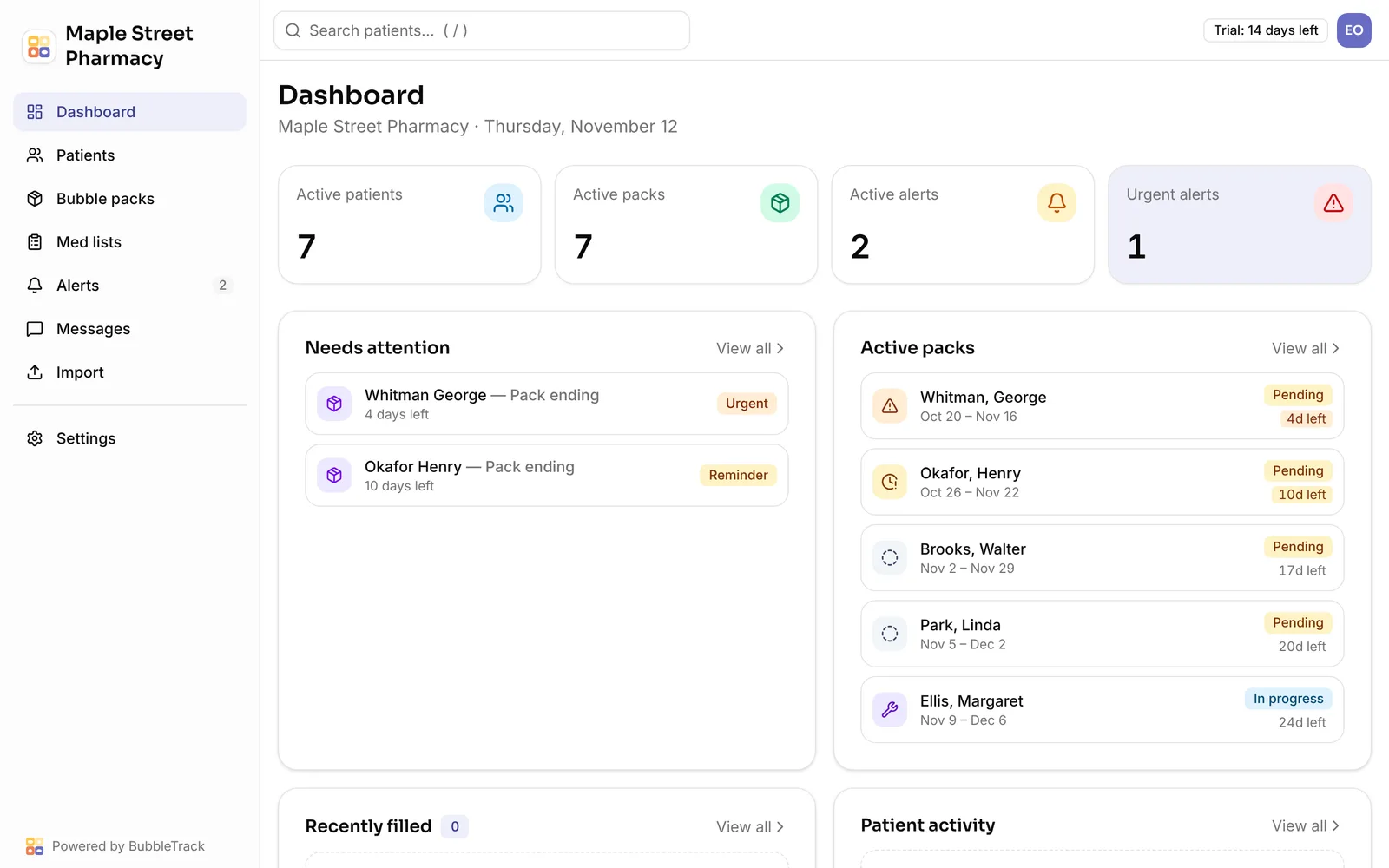
The dashboard: active patients and packs, alerts that need attention, and every active pack with its status and days left

Import center

Bring in patients, medications and dispense histories from a screenshot, a PDF, an Excel sheet or a CSV export of your pharmacy system. AI reads the document and rules check every row: dates, names, NDC codes, duplicates. You review everything in a grid before anything is saved, and you can undo an import for 24 hours.

  • Paste a screenshot straight from the clipboard
  • Several screenshots read as one import
  • Shows the AI credit cost before it runs
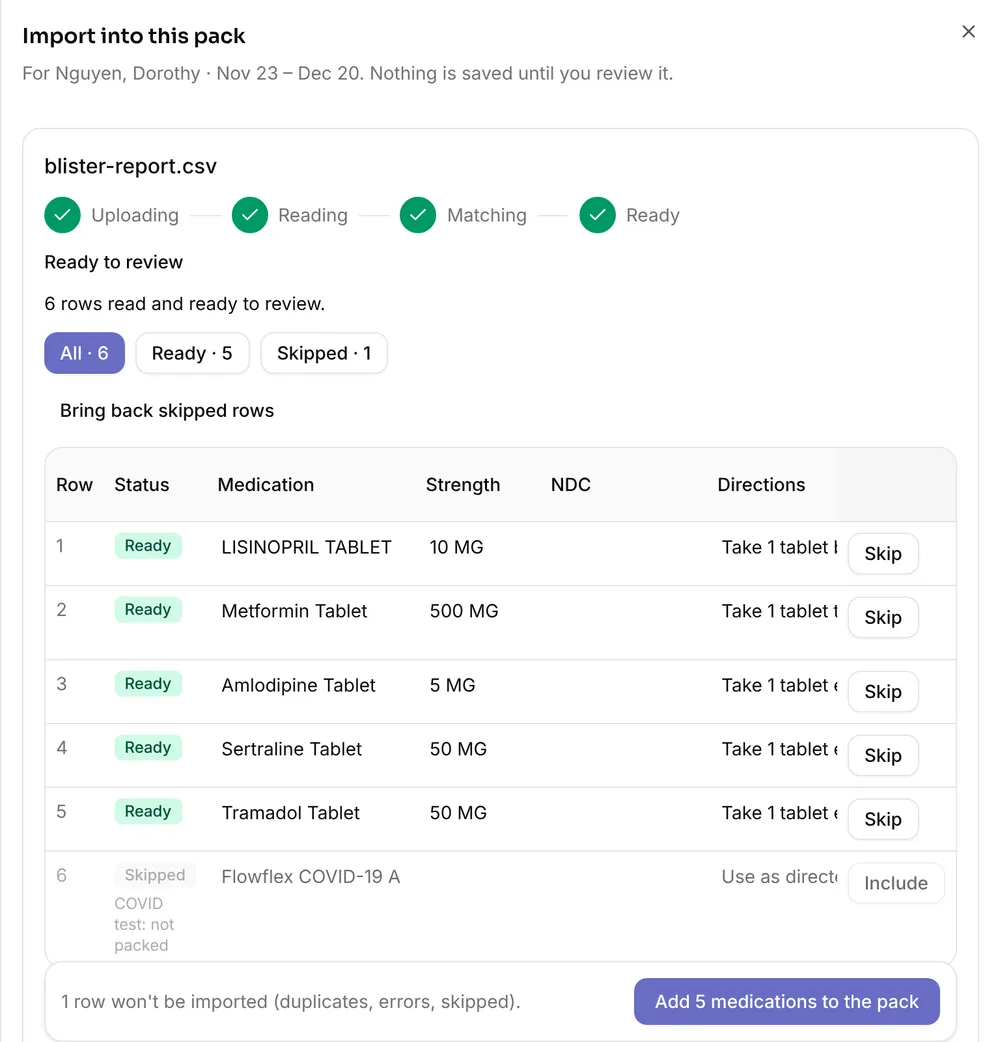
Import review: rows from a blister report with their status, strength and directions

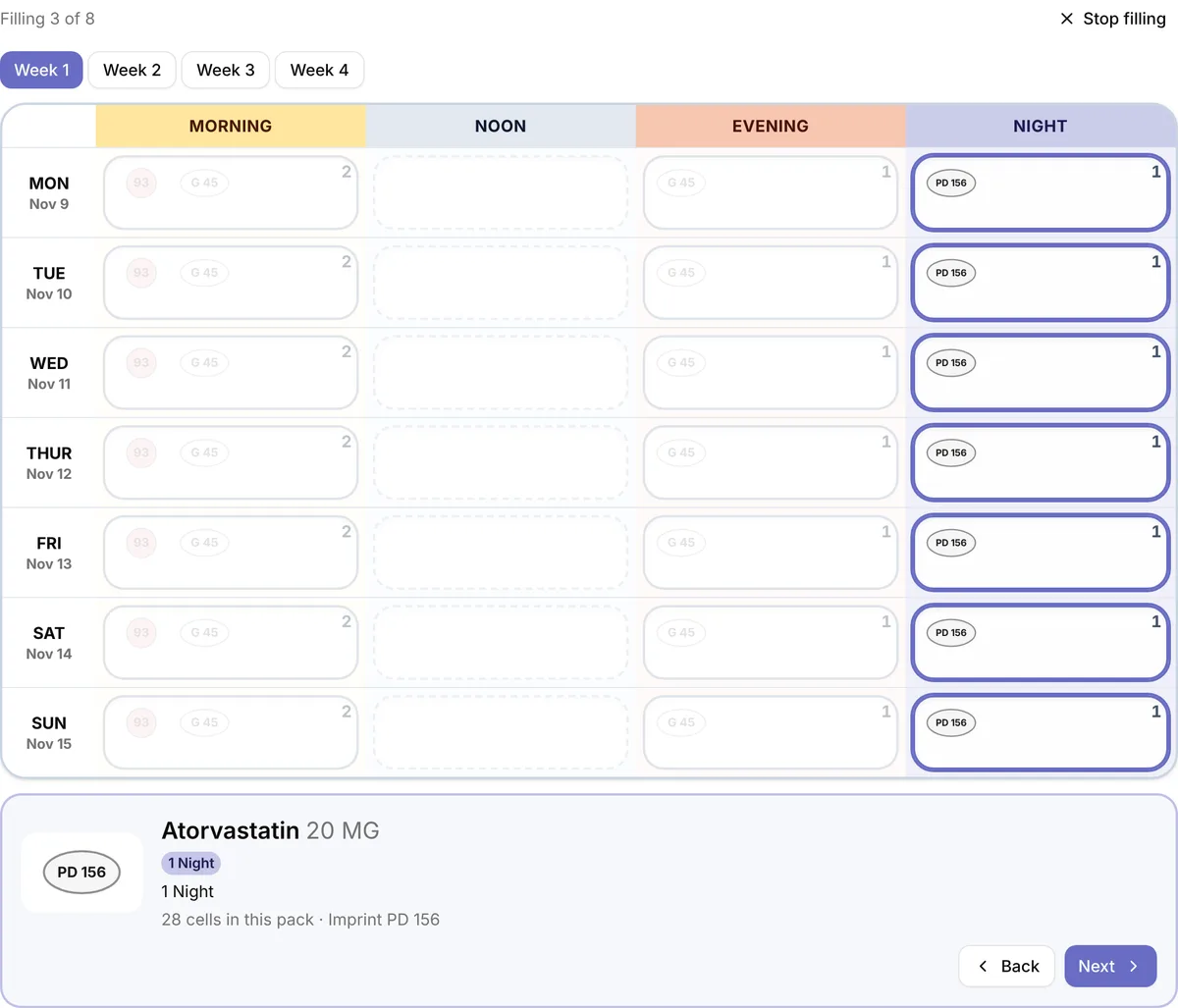
Blister grid and filling mode

Each pack is drawn like the real card: days down the side, morning, noon, evening and night across, with each pill’s shape, colour and imprint. Filling mode starts with an empty card and lights up one medication at a time, so nothing is missed.

  • Half tablets drawn as halves
  • Every-other-day and alternating doses
  • As-needed medications kept separate
Filling mode with the night bubbles for one medication highlighted

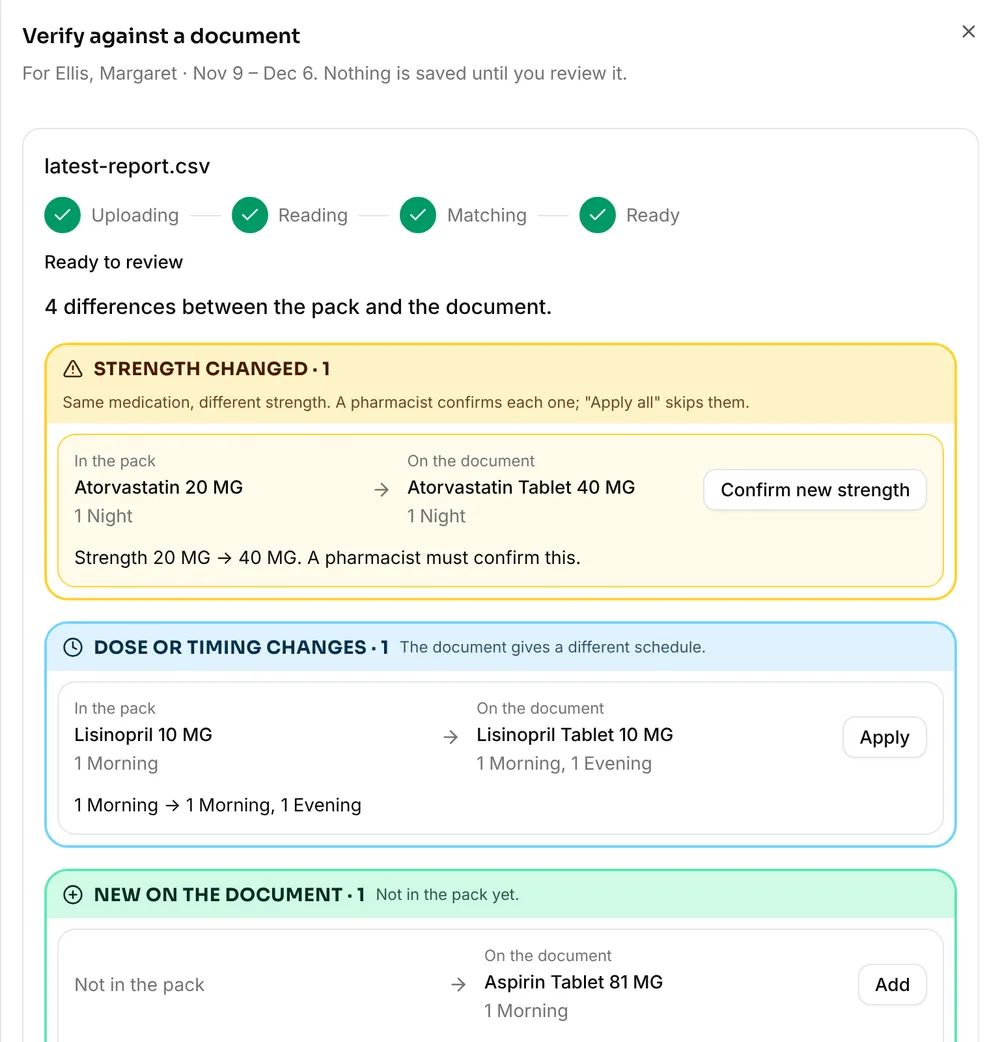
Verify against a report

Upload the latest report from your pharmacy system and get every difference with the pack as a suggestion: a new strength, a dose or timing change, a switch to as-needed, a medication to add or remove. Apply them one by one or all at once.

  • Strength changes need a pharmacist
  • Leave anything you disagree with as it is
Verify against a document: suggestions grouped by kind, each with Apply

Patients confirm from a link

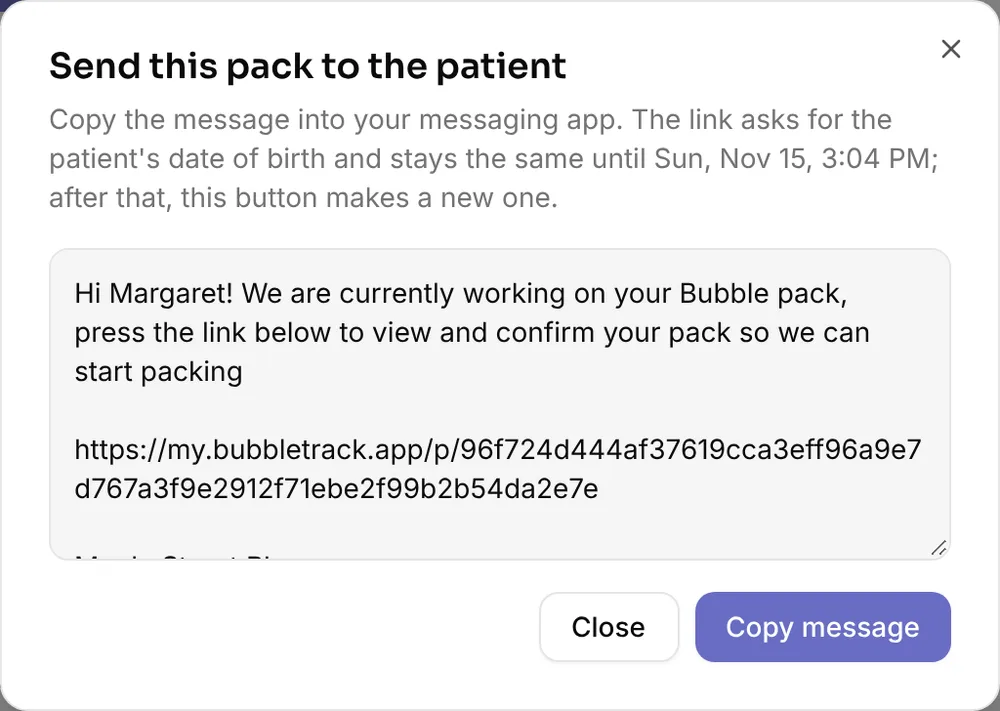
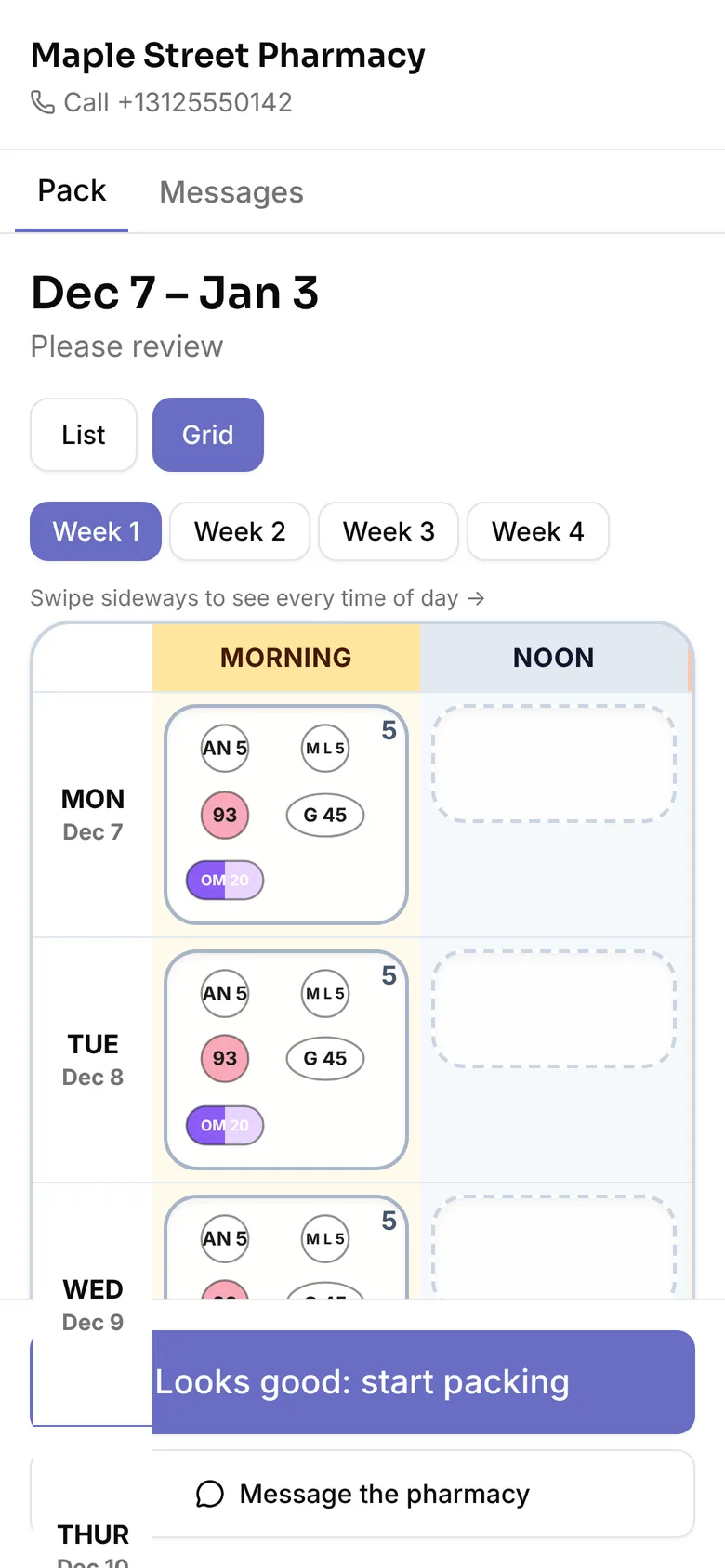
Press Send to patient on a pack and copy the message into the messaging app you already use. The patient opens the link on any phone, types their date of birth, and sees every medication in their pack. They tap Looks good, or ask to skip, change the time of or remove a medication, and can message you.

  • No app, account or password for the patient
  • One link per pack, open for 72 hours
  • Five wrong dates of birth lock the link
Send this pack to the patient: a ready message with the pack link and a Copy message button
The patient's pack on a phone, shown as a weekly grid

More for a pack day

  • Audit against last month

    Before you fill, see what changed since the last pack: new medications, stopped ones, changed doses or times, and equivalent NDC swaps checked against FDA data.

  • Alerts

    Packs running out, patient requests and messages in one list, sorted by urgency, with an optional beep so the counter hears new requests.

  • Medication lists

    For patients without packs: a medication list built from a dispense history, sorted into processing, on hold and inactive, and expiring after the time you set.

  • Team, roles and PINs

    Owners, admins, pharmacists and technicians each see what their role allows. On shared computers, staff switch with a personal PIN, and idle screens lock.

  • Photos and printing

    Photograph the sealed pack for the record, and print a pack sheet on US Letter with every bubble laid out.

  • Audit log

    Every change to patients, packs and medications is recorded with who, when and what changed. Filter it, and export it as CSV.

Spend less time on packs and more with patients.

14-day free trial. No credit card.